
From conversation to launch, watch it happen.
One real build, start to finish, from your side: the form, the emails, the invoice, the live preview, the dashboard.
Eighty-three seconds, one real build, filmed from your side of it. Captions on.
Seven steps. About five days.
No discovery phase, no retainer clock. Here is every step you go through, and what you get at each one.
01
You tell us what you need
The short form on this site, or just email us. Your work, the pages you want, the look you are after. Nobody hands you a questionnaire about "brand pillars."
02
We reply within 24 hours
We read what you sent and write back, usually within a few hours and always within a day. The questions back are the ones that change the design.
03
Your requirements, confirmed in writing
The whole conversation runs over email you can scroll back through. You get a plain recap of every page and feature, so nothing agreed in passing disappears.
04
One invoice, one flat price
One itemized invoice: the build, the deposit credited against it, the total. No hourly billing, no line items you did not agree to.
05
See your design before you pay for the build
Your first design goes up at a real link you open on your phone, not a PDF mockup. Change it in plain words. Nothing is due for the build until you like it.
06
You approve, then we launch
You say go, and the site is built, tested, and deployed to your own domain with SSL and free hosting. About five days, and it belongs to you.
07
Change it yourself, or just ask us
From launch day you have your own dashboard: click any text on your live site, change it, publish. Blog posts, photos, hours. Anything bigger, send a request from the same place.
The step you are probably here for is the price. See what each plan costs and includes, or read what a website actually costs in 2026.
After launch, the site answers to you.
Most agencies keep the keys. You get a dashboard: open your live site, click the thing, type, publish. No ticket queue, no fee.
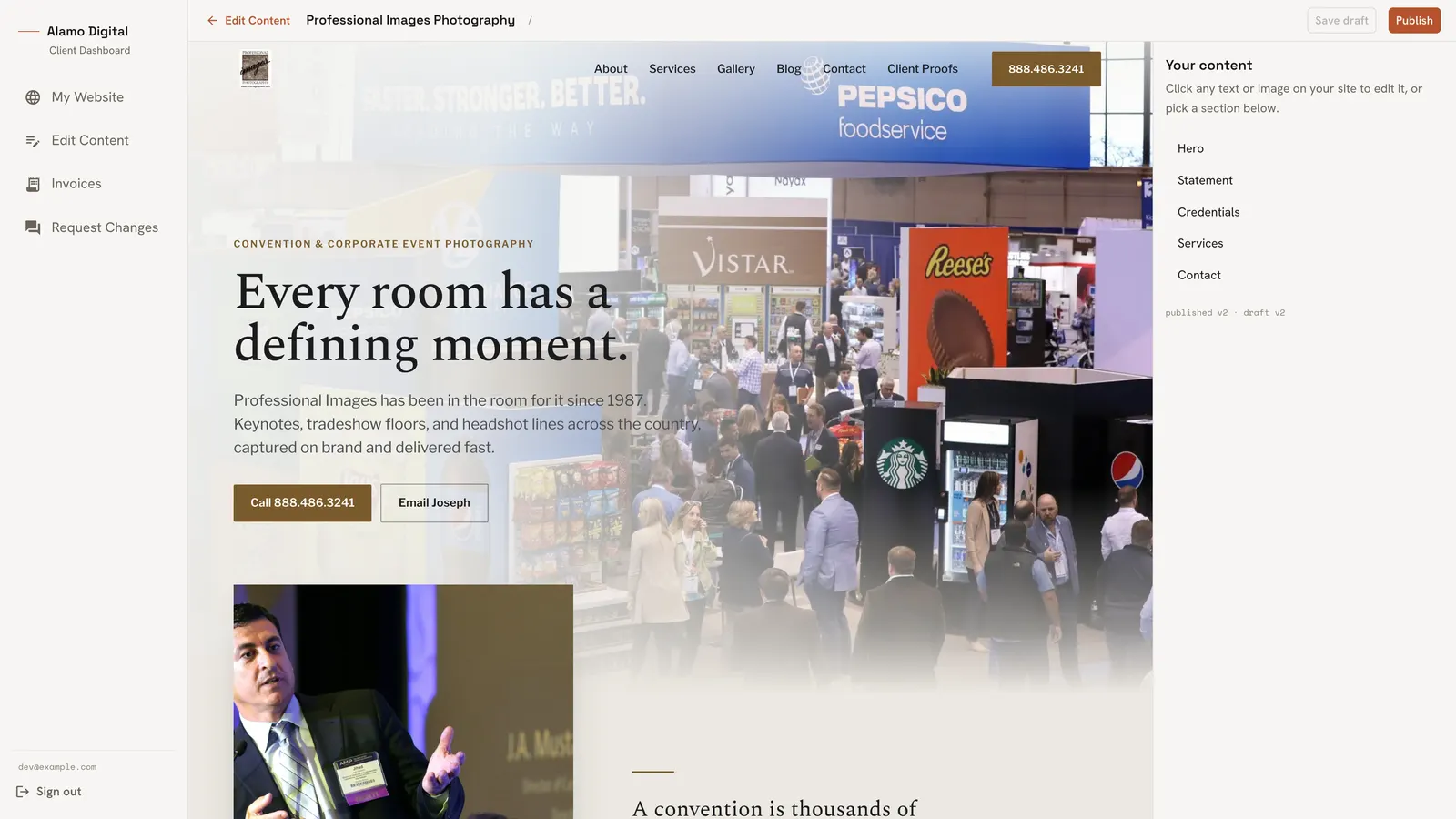
Click anything on your live site, edit it in place.
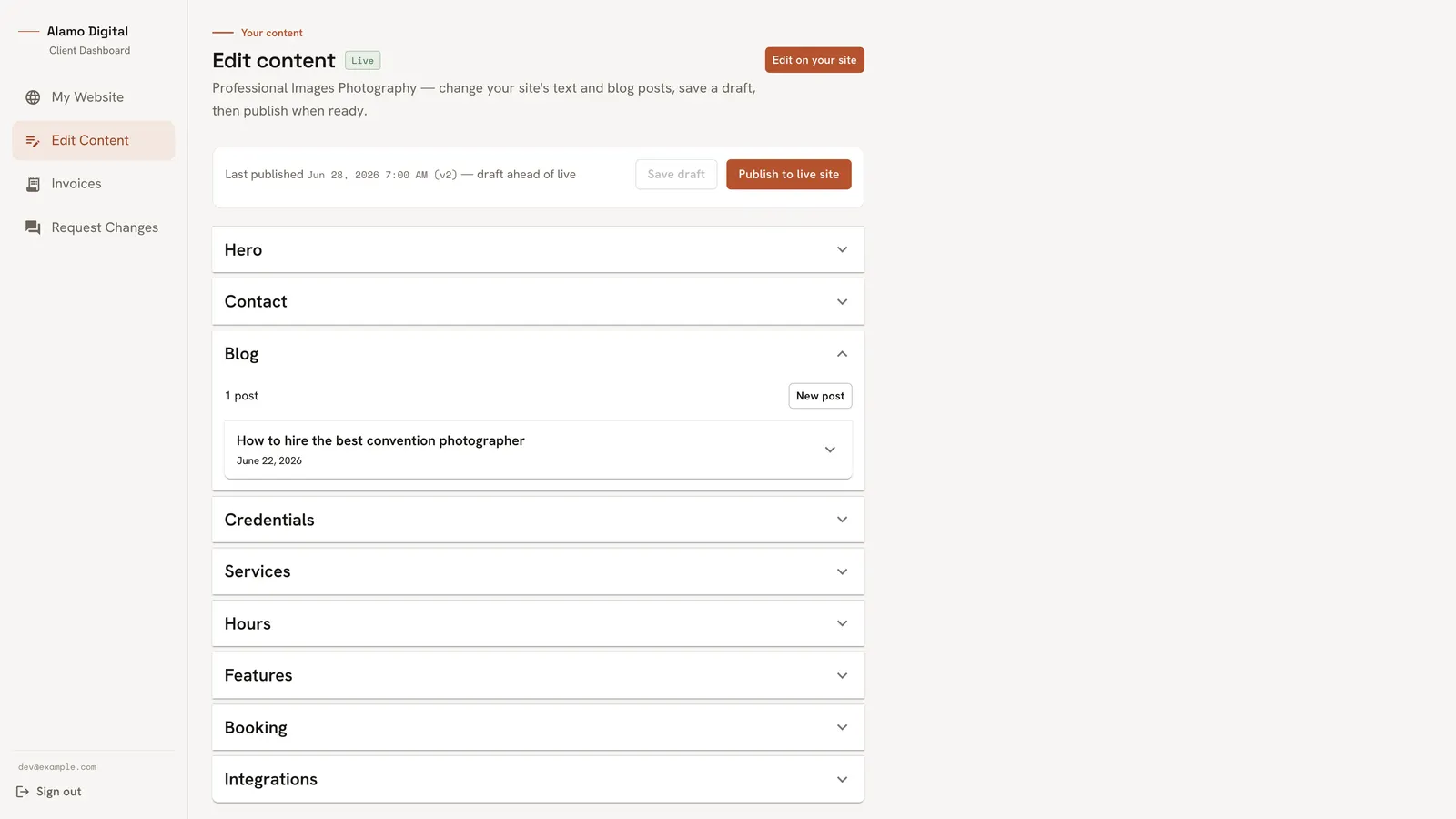
Write and publish your own blog posts.
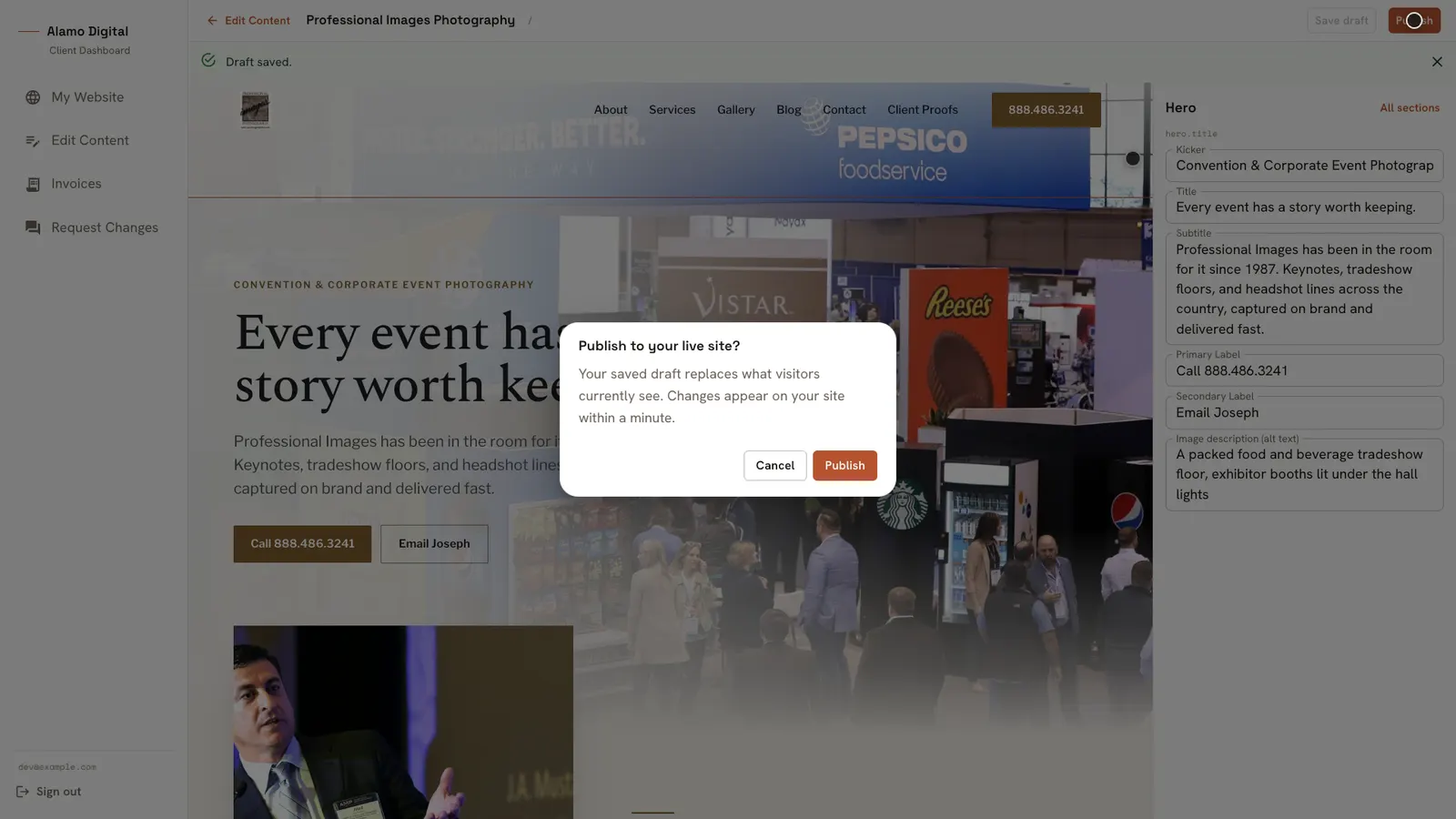
Publish to your live site in seconds.
Two builds that came out of this.
One nationwide photography site, one full membership platform, both through this same process.